GuidesFor your staff

When a video needs attention

A video you added that could not go on says why, in plain words, with what you can do: retry it, or add it anyway.

2 minute read

Why it stopped

  1. Two videos need you

    Under In progress on New videos, a video that could not go on says why in a sentence, and what you can do about it.
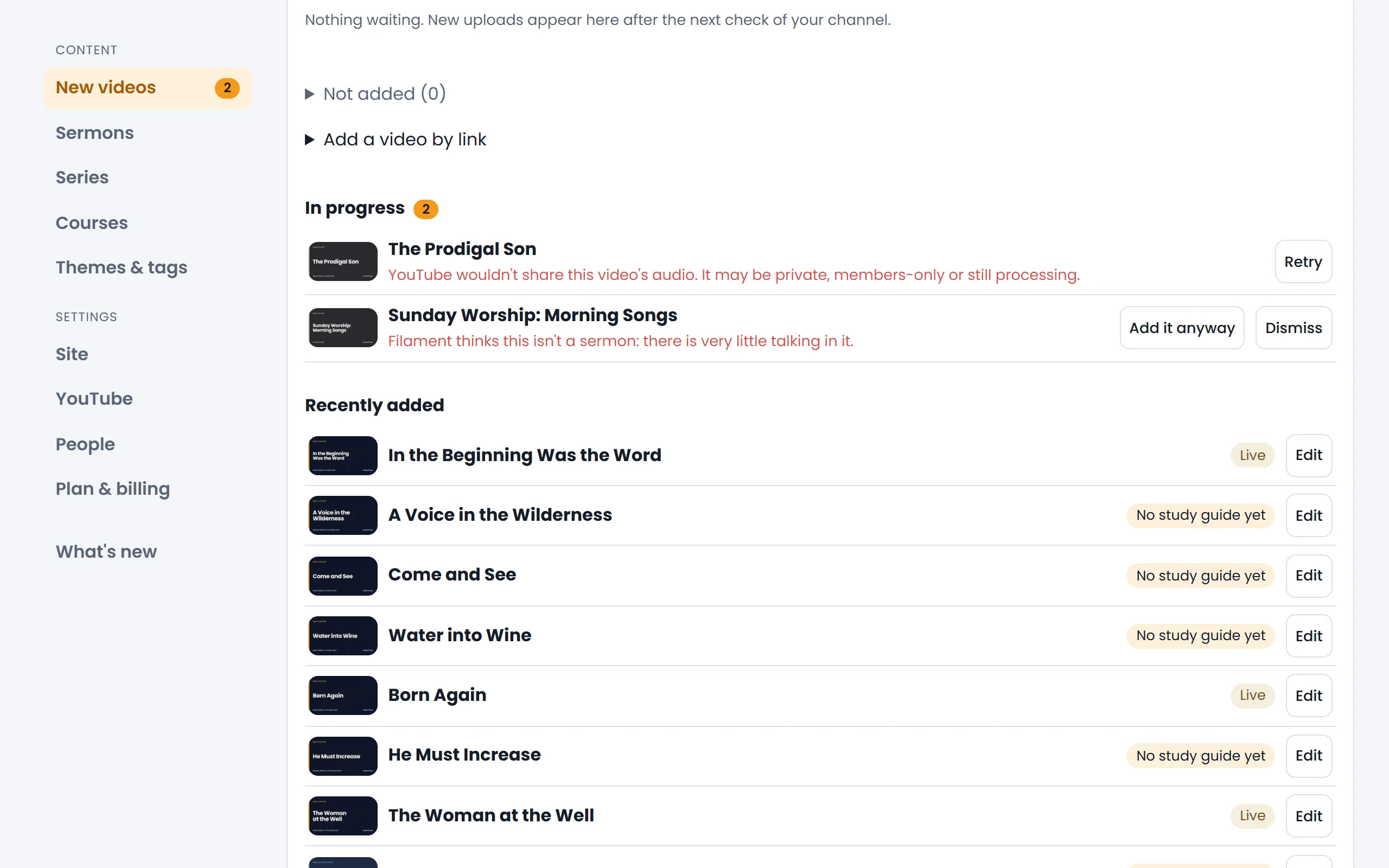
    New videos, In progress: The Prodigal Son and Sunday Worship: Morning Songs, each with a red sentence saying why it stopped and a button for what to do.

Try again

  1. YouTube wouldn't share it

    Usually the video is private, for members only, or still processing. Put it right on YouTube, then Retry.

    Retry The Prodigal Son.

    The Prodigal Son, with the note that YouTube wouldn't share its audio, and a Retry button outlined.
  2. On its way again

    Filament tries again at once. If it stops a second time, the note says why again.
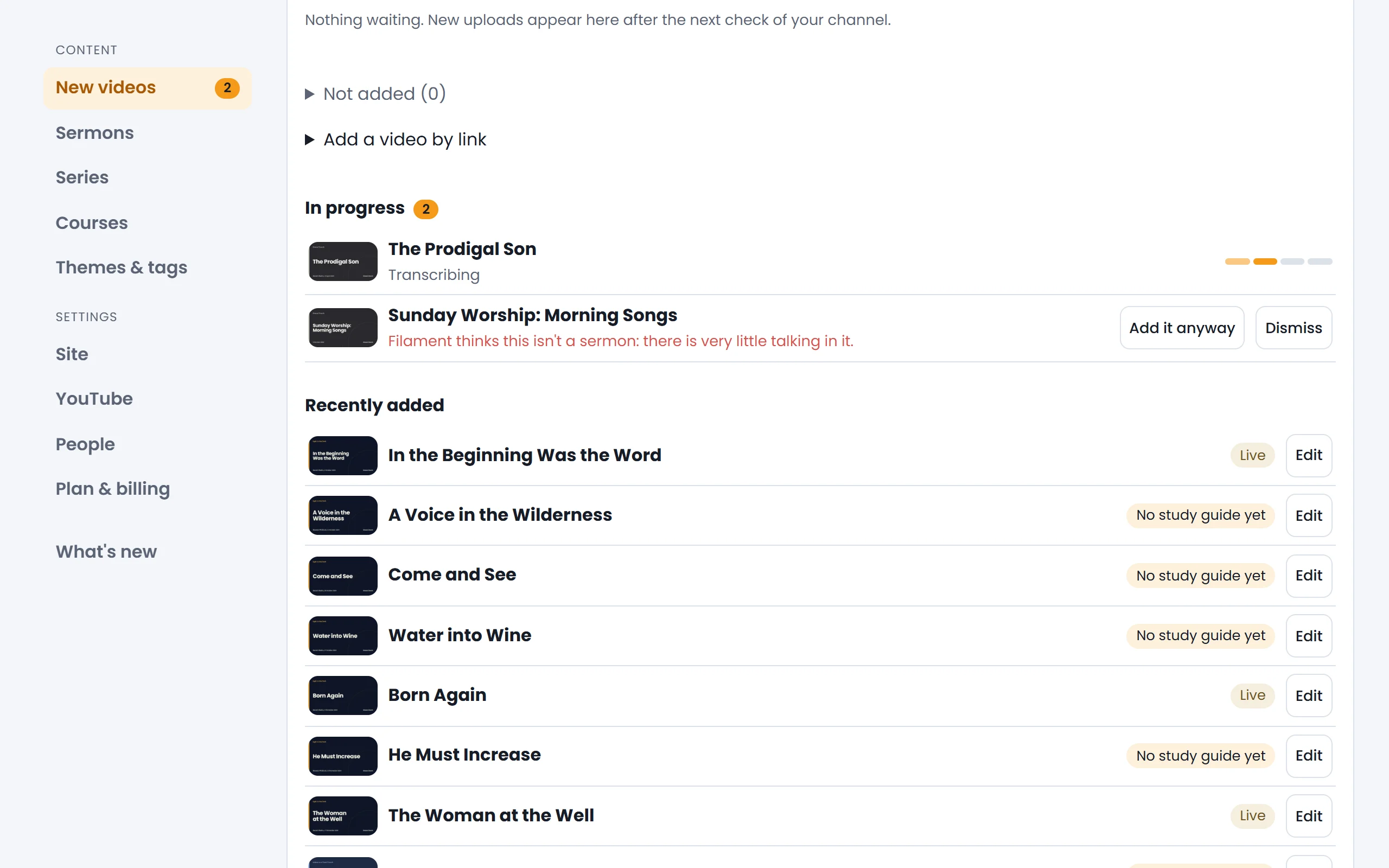
    The Prodigal Son now Transcribing, with its row of steps.

Add it anyway

  1. Filament thought it was not a sermon

    A video with little talking, like a morning of songs, looks like a recording of worship. If it is a sermon after all, add it anyway.

    Add Sunday Worship: Morning Songs anyway.

    Sunday Worship: Morning Songs, with the note that it has very little talking in it, and Add it anyway and Dismiss buttons.
  2. Added after all

    It goes in like any other sermon. Dismiss, beside it, would have left it on YouTube instead.
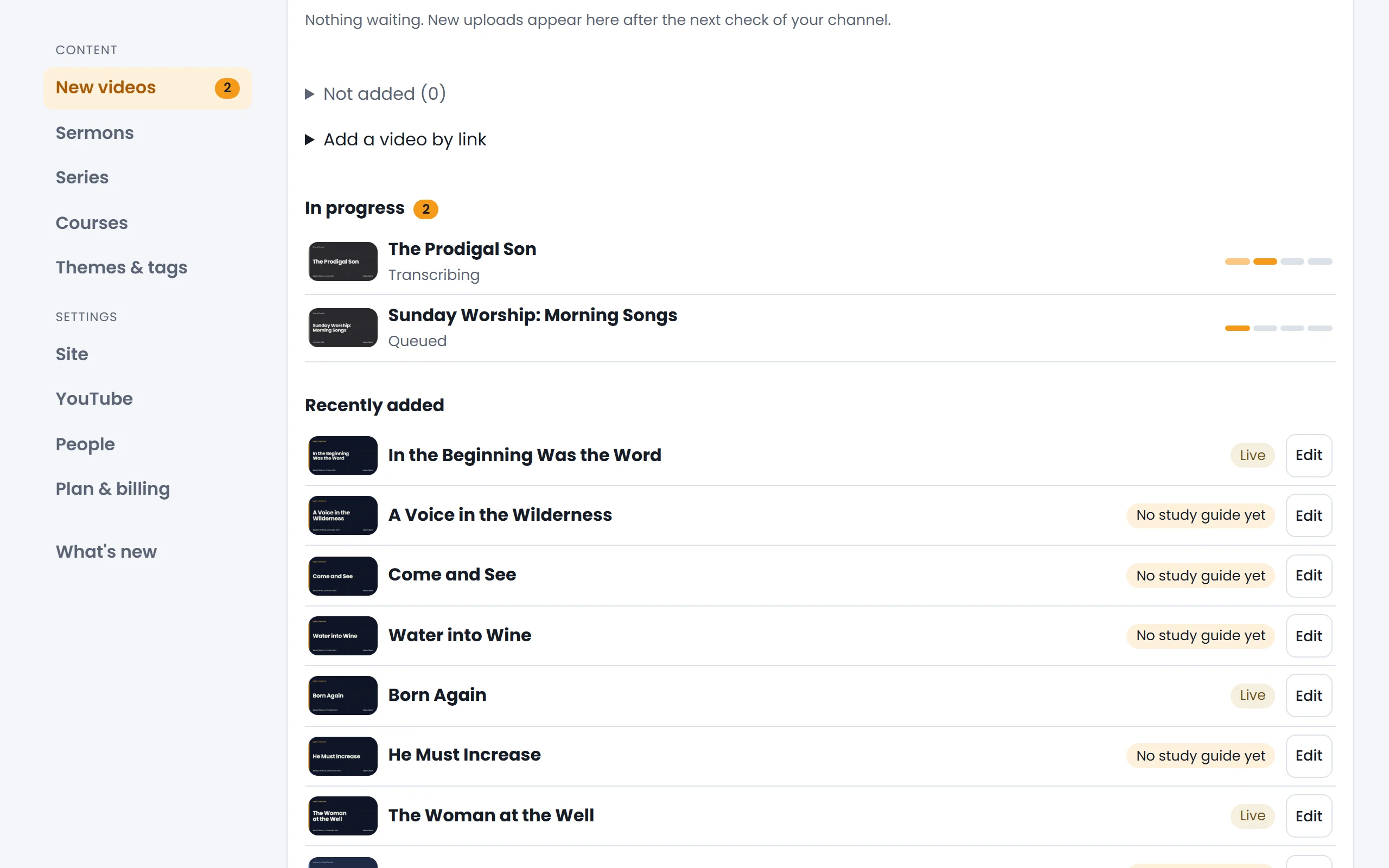
    Both videos back under In progress: The Prodigal Son Transcribing, Morning Songs Queued behind it.

Grace Church is fictional. Its sermons were written for this demo.